
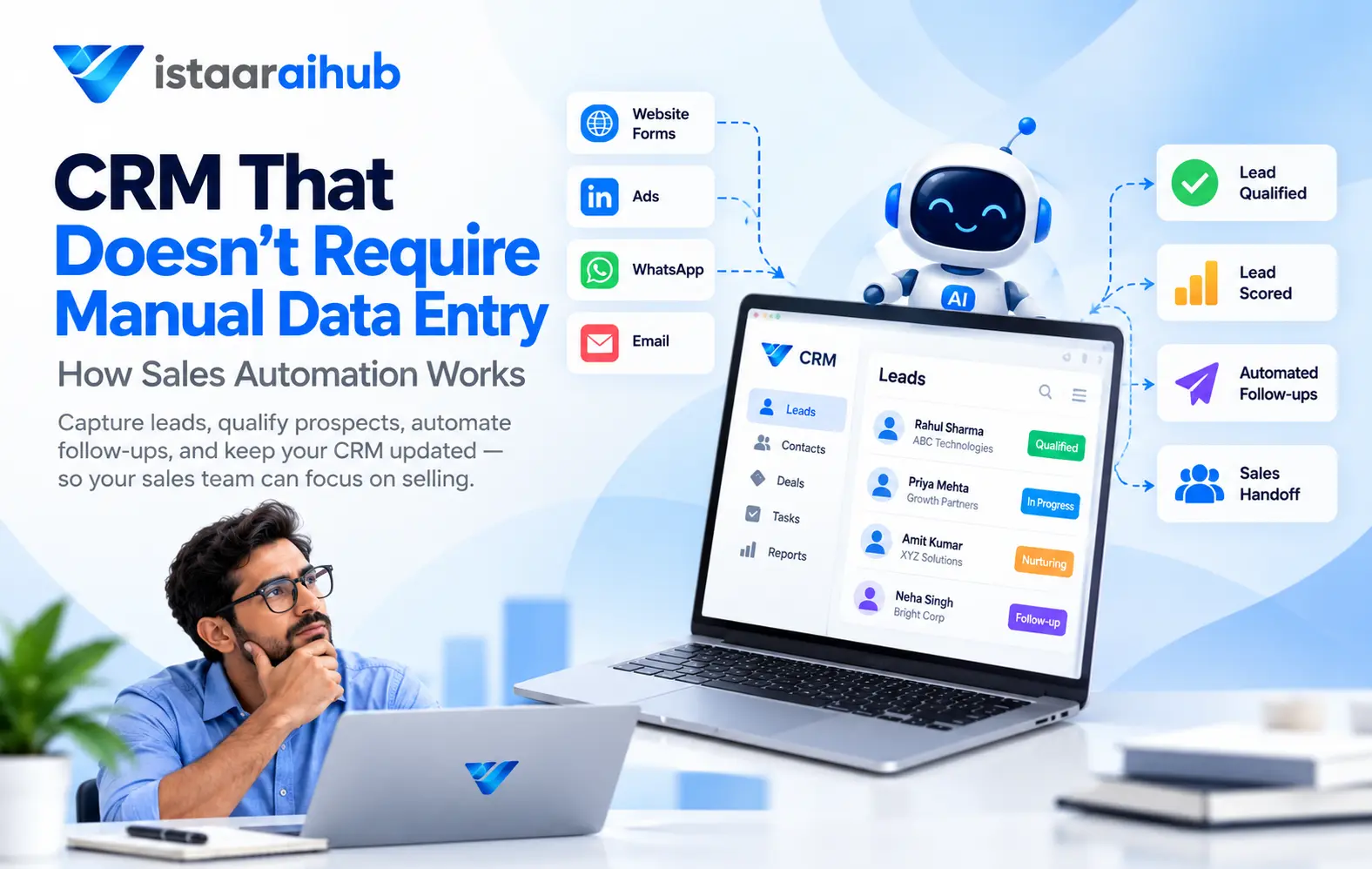
Your sales team shouldn't have to spend hours entering information into a CRM.
A lead submits a form.
Then someone copies the name, phone number, email address, company, requirement, and other details into the CRM.
After a conversation, someone updates the lead status.
Then someone adds notes.
Then someone creates a follow-up task.
Then another lead arrives.
The process repeats.
For a growing sales team, manual CRM data entry can become a significant part of the daily workflow.
This raises an important question:
Can you use a CRM without constantly entering and updating data manually?
With the right sales automation workflow, many repetitive CRM tasks can be automated.
Instead of making salespeople responsible for every data-entry task, businesses can connect lead capture, communication, qualification, scoring, follow-ups, and CRM updates into one workflow.
What Is a CRM Without Manual Data Entry?
A CRM without manual data entry is not necessarily a completely "hands-free" CRM.
Rather, it is a CRM system connected to automated workflows that reduce the amount of information salespeople need to enter themselves.
For example:
Traditional workflow:
Enters lead details
↓
Calls the lead
↓
Updates status
↓
Writes notes
↓
Creates follow-up
An automated workflow can look more like:
Lead Captured
↓
CRM
↓
Lead Information Extracted
↓
Qualification
↓
Lead Scoring
↓
Automated Follow-up
↓
Sales Handoff
The salesperson can then focus more of their time on conversations with prospects instead of repeatedly updating records.
Why Is Manual CRM Data Entry a Problem?
CRM data is valuable only when it is available, accurate, and updated.
But maintaining that information manually creates several workflow challenges.
1. Salespeople Spend Time on Administrative Work
Sales representatives are hired to communicate with prospects, understand their requirements, handle objections, and close opportunities.
Entering the same information into multiple systems can take time away from those activities.
For example, after every sales conversation, a salesperson may need to update:
- Lead status
- Contact information
- Notes
- Follow-up date
- Requirement
- Budget
- Sales stage
- Next action
When the number of leads increases, these small tasks can become repetitive.
2. Lead Information Can Become Inconsistent
When information is entered manually, different team members may record information differently.
One salesperson might write:
Interested
Another might write:
Hot Lead
Another might write:
Follow up soon
Without a standardized process, reporting and lead management can become more difficult.
Automation can help standardize how information is captured and processed.
3. Follow-Ups Can Be Missed
A lead might be interested today but not ready to purchase immediately.
If the next follow-up isn't recorded properly, that opportunity can be forgotten.
An automated workflow can create follow-up actions based on the lead's status.
For example:
Interested → Follow up in 2 days
Budget not approved → Schedule future follow-up
No response → Start another follow-up sequence
Not a fit → Stop sales sequence
What Can a Sales CRM Automate?
A modern sales automation workflow can automate several repetitive processes.
1. Lead Capture
Leads can arrive from multiple sources:
- Website forms
- Landing pages
- Advertising campaigns
- Chatbots
- Other lead-generation channels
Instead of manually copying the information into a CRM, the workflow can send captured lead information directly into the CRM.
2. Contact Creation
Once a lead enters the system, relevant information can be stored in the CRM.
For Example:
Name: Rahul Sharma
Email: rahul@example.com
Phone: +91 XXXXX XXXXX
Company: ABC Technologies
Requirement: Sales automation Budget: ₹5 lakh
This creates a structured record that the sales team can work with.
3. Lead Qualification
Not every lead deserves the same sales effort.
A qualification workflow can analyze information such as:
- Requirement
- Budget
- Timeline
- Buying intent
- Business need
- Engagement
The system can then categorize leads according to the defined qualification criteria.
For Example:
High Intent → Sales Handoff
Medium Intent → Nurturing
Low Intent → Automated Follow-up
4. Lead Scoring
Lead scoring can help sales teams prioritize opportunities.
Instead of treating every lead equally, businesses can assign scores based on predefined criteria.
For example:
| Factor | Example |
|---|---|
| Budget | 25 points |
| Timeline | 25 points |
| Buying intent | 25 points |
| Requirement fit | 25 points |
| Total | 100 points |
A lead with a high score can be sent to the sales team for immediate attention.
A lead with a lower score can remain in an automated nurturing workflow.
5. Automated Follow-Ups
Follow-up is one of the most important parts of sales.
But manually remembering every follow-up becomes difficult when the number of leads increases.
Automation can trigger different actions depending on the lead's situation.
| Lead situation | Possible action |
|---|---|
| Ready to buy | Notify sales immediately |
| Interested but researching | Start nurturing |
| Budget not approved | Schedule future follow-up |
| No response | Send a different follow-up sequence |
| Not a fit | Stop the sales sequence |
This creates a more structured sales process.
6. Sales Handoff
One of the biggest advantages of automated qualification is that the sales team doesn't necessarily need to handle every incoming lead.
A workflow can identify leads that meet predefined criteria and then assign them to the appropriate salesperson.
For example:

This allows salespeople to spend more time on leads that require human interaction.
7. CRM Activity Tracking
Sales conversations generate information.
That information can include:
- Questions asked by the prospect
- Requirements
- Objections
- Follow-up requests
- Product interest
- Purchase timeline
Instead of keeping information across scattered notes, emails, spreadsheets, and messaging platforms, an automated sales workflow can bring relevant activity into the CRM.
This gives the sales team a more complete picture of the lead.
How AI Can Reduce CRM Data Entry
AI can add another layer to CRM automation.
For example, suppose a prospect sends:
"We are looking for a sales automation solution for around 20 salespeople. Our current CRM is difficult to maintain and we'd like to implement something in the next two months."
An AI-powered workflow can extract structured information such as:
Requirement: Sales automation
Team size: 20 salespeople
Problem: CRM maintenance
Timeline: 2 months
That information can then be used by the sales workflow.
The key idea is:
Unstructured conversation → Structured sales data
This can reduce the amount of information salespeople need to manually enter.
Traditional CRM vs Automated CRM Workflow
The difference becomes clearer when the two approaches are compared.
| Traditional workflow | Automated workflow |
|---|---|
| Manual lead entry | Automated lead capture |
| Manual qualification | Automated qualification |
| Manual lead prioritization | Lead scoring |
| Manual follow-up reminders | Automated follow-up |
| Manual status updates | Workflow-based status updates |
| Scattered conversation information | Connected sales activity |
| Sales team handles most leads | Qualified leads can be prioritized |
Automation does not mean removing people from the sales process.
Instead, it can help determine where human involvement is most valuable.
Example: From Lead Capture to Sales Handoff
Imagine a real estate company receives 500 leads from its website and advertising campaigns.
A traditional process might require the team to:
- Export leads
- Add them to the CRM
- Contact each lead
- Ask qualification questions
- Update lead status
- Record responses
- Schedule follow-ups
- Assign leads to salespeople
An automated workflow can structure this process:
Step 1: Lead Capture
The lead enters the CRM automatically.
Step 2: Instant Response
The system sends an initial response through the configured communication channel.
Step 3: Qualification
The workflow collects information such as:
- Property requirement
- Budget
- Preferred location
- Timeline
- Buying intent
Step 4: Lead Scoring
The lead receives a score based on predefined criteria.
Step 5: Segmentation
The lead is categorized based on the qualification result.
Step 6: Sales Handoff
High-intent leads are sent to the sales team.
Step 7: Nurturing
Leads that are interested but not ready can continue through an automated nurturing workflow.
The result is a structured sales process instead of a collection of disconnected manual tasks.
Does CRM Automation Replace Salespeople?
No.
CRM automation and AI are better understood as tools for supporting sales teams.
A salesperson is still valuable for activities that require human interaction, such as:
- Complex negotiations
- Building relationships
- Handling sensitive objections
- Understanding business requirements
- Demonstrations
- Closing high-value opportunities
Automation can handle repetitive workflow tasks around these activities.
A useful way to think about it is:
Automation handles repetitive processes. Salespeople handle important conversations.
When Should a Business Automate Its CRM?
CRM automation becomes particularly useful when your sales process starts becoming difficult to manage manually.
Consider automation if:
Your lead volume is increasing
More leads mean more data entry, qualification, and follow-ups.
Your sales team is spending too much time updating CRM records
If salespeople regularly spend significant time on administrative tasks, automation can help.
Leads are being followed up inconsistently
A structured workflow can make follow-ups more systematic.
Your sales team receives many low-quality leads
Lead qualification and scoring can help prioritize sales attention.
Information is spread across multiple systems
Connecting lead capture, communication, CRM, and sales workflows can reduce fragmented processes.
Common Mistakes When Automating a CRM
Automation can improve a sales process, but poorly designed automation can create new problems.
Automating a Broken Process
If your sales process is unclear, automating it won't automatically fix it.
First define:
- What qualifies as a lead?
- What makes a lead sales-ready?
- When should a salesperson be involved?
- When should nurturing start?
- When should communication stop?
Then automate the workflow.
Sending Too Many Automated Messages
Automation should not mean sending the same message repeatedly.
Follow-ups should be relevant to the lead's situation.
For example:
Interested but researching
is different from:
No response
and both should have different follow-up strategies.
Removing Human Handoff Completely
Some leads require human attention.
A good system should provide a clear transition between automation and the sales team.
How VistaarAIHub Approaches Sales Automation
VistaarAIHub is built around connecting different parts of the sales process instead of treating CRM as just a place to store contact information.
The workflow can be structured around:
Lead Capture → CRM → Communication → Qualification → Scoring → Nurturing → Sales Handoff
The objective is to help businesses move from manually managing every lead to creating a more structured sales workflow.
For example, when a lead enters the system, relevant information can be captured and organized in the CRM. The lead can then go through qualification and scoring before being routed according to its status.
High-intent prospects can be prioritized for sales follow-up, while prospects that aren't ready can remain in a nurturing workflow.
This creates a sales process where the CRM becomes part of the workflow rather than simply a database that salespeople have to update manually.
The Future of CRM Is More Than Data Storage
Traditional CRM systems primarily answer:
"What information do we have about this customer?"
Modern sales automation asks a broader question:
"What should happen next?"
That distinction matters.
A useful sales system doesn't just store:
Lead = Interested
It can also connect that information to an action:
Lead = Interested → Nurture → Follow Up → Re-evaluate → Sales Handoff
The CRM becomes an active part of the sales process.
Final Thoughts
Manual CRM data entry may seem like a small task.
But when sales teams manage hundreds or thousands of leads, small repetitive tasks can become a significant operational burden.
CRM automation can help connect:
Lead Capture
↓
CRM
↓
Qualification
↓
Lead Scoring
↓
Follow-Up
↓
Nurturing
↓
Sales Handoff
The goal isn't simply to remove data entry.
The bigger goal is to create a sales process where information flows automatically and salespeople can spend more time on the opportunities that require their attention.
If your sales team is still spending significant time copying lead information between forms, spreadsheets, emails, messaging platforms, and CRM systems, it may be worth examining which parts of that workflow can be automated.
Explore VistaarAIHub:
https://vistaaraihub.com/
Stop making your sales team do repetitive CRM work.
See how VistaarAIHub can help automate lead capture, qualification, nurturing, scoring, and sales handoffs.